We are happy to announce the release of Jaybird 5.0.3 and Jaybird 4.0.10.
With this release, Jaybird 4 is end-of-life. We recommend upgrading to Jaybird 5.
Jaybird 5.0.3
The following has been changed or fixed since Jaybird 5.0.2:
Improvement: Do not reject attempts to read blob id 0 — backported from Jaybird 6 (#765)
Fixed: on CHAR fields, a too short value could be returned if the string contained one or more codepoints represented by surrogate pairs and the string length in char exceeded the maximum string length — backported from Jaybird 6 (#770)
Fixed: CallableStatement.getXXX(String) could return value from wrong column — backported from Jaybird 6 (#772)
Updated: error messages updated from Firebird 5.0.0.1272
Jaybird 5 supports Firebird 2.5 and higher, on Java 8, 11, 17, and 21 (support for Java 11 and higher using the Java 11 version of the driver).
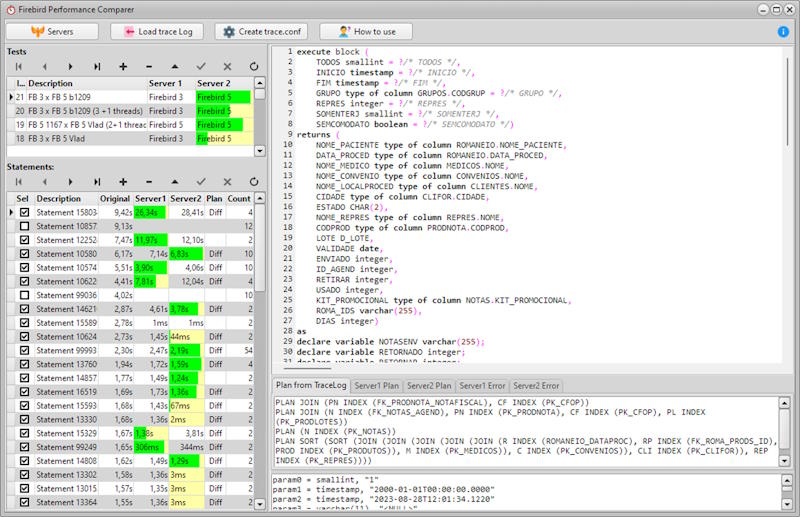
In my two presentations at the 20th Firebird Developers Day, I introduced firsthand the tool I created to help compare the performance between two Firebird servers (>= 2.5) in an easy and visual way.
This tool actually helped to detect a performance regression in Firebird 5 beta, which was resolved after I reported it to the core developers. The intention is to identify optimizer regressions or low performance issues in Firebird itself, or even the breaking of SQL commands due to new reserved words or syntax restrictions.
I’m making version 1.0 beta available for anyone interested. It’s a version that so far has been tested only by me, so it may and probably does have some bugs.
The FBPC runs on Windows and internally uses Firebird 5 RC1 embedded to store the tests and their results. When you run the application for the first time, it will display instructions on how to use it.
In summary, it helps you create a trace.conf to capture SQL commands executed on a Firebird server 2.5 or higher in a production environment. Then, the tool parses the file and collect the statements, allowing you to run them in a controlled environment of servers, specifying test rounds where the execution time between server1 and server2 is compared and displayed in an intuitive and visual way, enabling you to detect regressions or even commands that could not be executed due to new reserved words or syntax restrictions imposed in new versions of the DBMS.
Database .NET v35.5 is an innovative, powerful and intuitive multiple database management tool. With it you can easily and intuitive manage all database versions of Firebird (1.5~4.0) (Free for non-commercial and a single executable file without installation) Major New features and improvements from 35.1 to 35.5:
Upscene Productions is proud to announce the availability of the next release of the popular multi-DBMS development tool:
” Database Workbench 6.3.0″
This version includes full support for the latest versions of Microsoft SQL Server and MariaDB.
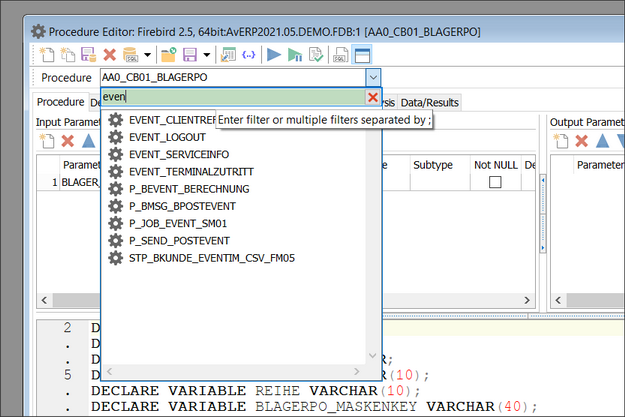
One of the major changes in the previous release was the new object selection box in the Object Editors: much faster on a large number of objects and it now includes a filter for easier usage.
Database Workbench 6 comes in 3 different editions with different pricing models, there’s always a version that suits you!
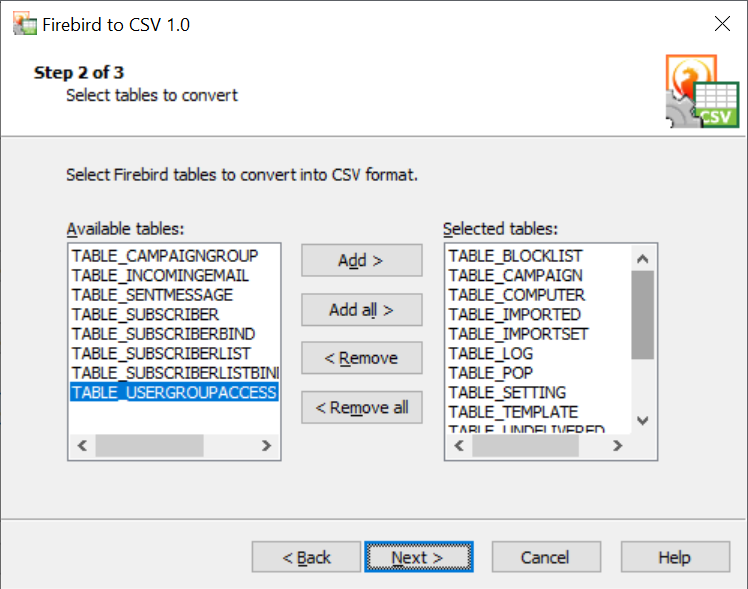
Firebird to CSV converter is a free program to export Firebird or Interbase databases into comma separated values (CSV) files. The program has high performance due to direct reading of the source database and writing into CSV files. Firebird to CSV converter does not use ODBC or any other middleware. Command line support allows to script, automate and schedule the conversion process.
Features:
All versions of Firebird and Interbase are supported
Fast conversion engine (100MB database – in less than 5 minutes on average modern system)
Option to convert individual tables
Option to select separator: tab, comma or semicolon
I am happy to announce the release of “Firebird External Table Generator” (ext-table-gen for short).
“Firebird External Table Generator” is a commandline tool to transform RFC 4180 CSV files to Firebird external table files (a binary format for external table data).
External tables are a good way for bulk-loading data into Firebird. Unfortunately, external tables use a fixed-width binary format, and not (more) standard formats like CSV. It is not always easy to create an appropriate external table file, and this is where ext-table-gen can be used.
At a high level, ext-table-gen provides the following features:
Derive a CHAR-based external table definition (i.e. a CREATE TABLE statement and a configuration for ext-table-gen) from a CSV file
Transform a CSV file to an external table file (either based on the CSV file itself, or based on a configuration file)
The current version only supports CHAR columns, which makes the generated file essentially a fixed-width text format. Future versions may introduce support for additional column types.