
Firebird 2.5.9 with CVE-2025-54989 fix

A bug in the Firebird server was found by the Zero Day Initiative (ZDI) program. The bug exploits a weakness in Firebird’s remote protocol.

The official CVE record is published here.

This bug has existed in the code base since InterBase 6 (or earlier.) and all versions of Firebird released prior to 5th May 2025 are affected.

The vulnerability allows remote unauthenticated users to cause a denial of service via a NULL pointer dereference and subsequent crash of the server.

A malicious user can cause a DoS attack on a Firebird server by sending a specific sequence of bytes. It is not necessary to be logged in to the server. To exploit the vulnerability, it is sufficient to have access to the Firebird port.

It should be noted that the Classic server architecture is less vulnerable, inasmuch as existing connections will remain active. However if the attack is sustained no new connections will be possible for the lifetime of the attack, no matter which architecture is used.

It is not known if a proof of concept has been developed. However, once the vulnerability is published one should expect rogue users to develop an attack. With increased access to AI based code generation models the bar to exploit development has been lowered considerably.

The Firebird Project has fixed this bug in the latest releases of all branches currently supported: 5.0.3, 4.0.6 and 3.0.13

While Firebird 2.5 is no longer supported by the Firebird project, it’s still supported by IBPhoenix!

We have produced a special build of Firebird 2.5.9 with this fix. There are no other changes to the source code for this build other than the fix itself. It is intended to be dropped in to an existing setup. Users can be confident that only minimal acceptance testing will be required.

You can get both 64-bit and 32-bit builds for Windows from our store for whatever price you see fair for our effort (including for free).
Jaybird 6.0.3 and Jaybird 5.0.9 released

We are happy to announce the release of Jaybird 6.0.3 and Jaybird 5.0.9, providing bug fixes. Jaybird is the Firebird JDBC driver.

Changes

The following was fixed or changed in Jaybird 6.0.3:

  • Fixed: statement close could cause a hang of the connection (#876)
  • Fixed: ResultSet move incorrectly closes input Clob (#880)
  • Fixed: Batch execution with multiple empty strings resulted in error “Repeated blob id 0:0 in registerBlob()” (#888)
  • Dependency update: updated org.bouncycastle:bcprov-jdk18on from 1.80 to 1.81 (used by chacha64-plugin) (#889)
  • Fixed: On Java 24, Connection.abort, Connection.setNetworkTimeout, and OperationMonitor.initOperationAware always throw “java.lang.SecurityException: checking permissions is not supported” (#890)

The following was fixed or changed in Jaybird 5.0.9:

  • Fixed: ResultSet move incorrectly closes input Clob (#881)

Bug reports about undocumented changes in behavior are appreciated. Feedback can be sent to Firebird-java or reported on the issue tracker https://github.com/FirebirdSQL/jaybird/issues.

Jaybird 6.0.3

Jaybird 6 supports Firebird 3.0, Firebird 4.0, and Firebird 5.0, on Java 17, Java 21, and Java 24.

See also:

Jaybird 5.0.9

Jaybird 5 supports Firebird 2.5, Firebird 3.0, Firebird 4.0, and Firebird 5.0, on Java 8, Java 11, Java 17, Java 21, and Java 24 (support for Java 11 and higher using the Java 11 version of the driver). 

See also:

Comparison of data filling of FB 5 and PostgreSQL 17

A study comparing Firebird 5 and PostgreSQL 17 reveals that the best choice for database storage efficiency depends on the specific data types and usage patterns.

Key Findings:

  • Character Data: Firebird demonstrates superior efficiency in storing character data types, particularly for larger field sizes.
  • Integer Data: PostgreSQL is more efficient when it comes to storing integer data.
  • Updates: When 25% of the rows were updated, Firebird’s database size increased by only 8%, while PostgreSQL’s grew by 25%. After updating 50% of the data, Firebird saw an additional 12% increase, while PostgreSQL’s size increased by another 26%.
  • Temporal Data: Both databases are comparable in storing simple temporal data. However, for data types that include time zones, PostgreSQL uses more space for time with time zones, but less for timestamps with time zones.

In conclusion, the study suggests that Firebird may be a more space-economical choice for databases with frequent updates to character-heaving data. PostgreSQL, on the other hand, offers better storage efficiency for integer-based data and certain temporal data types. The choice between the two will ultimately depend on the specific needs and data characteristics of the application.

Database Workbench 6.8.0 released

Upscene Productions is proud to announce the availability of the next release of the popular multi-DBMS development tool:

“Database Workbench 6.8.0”

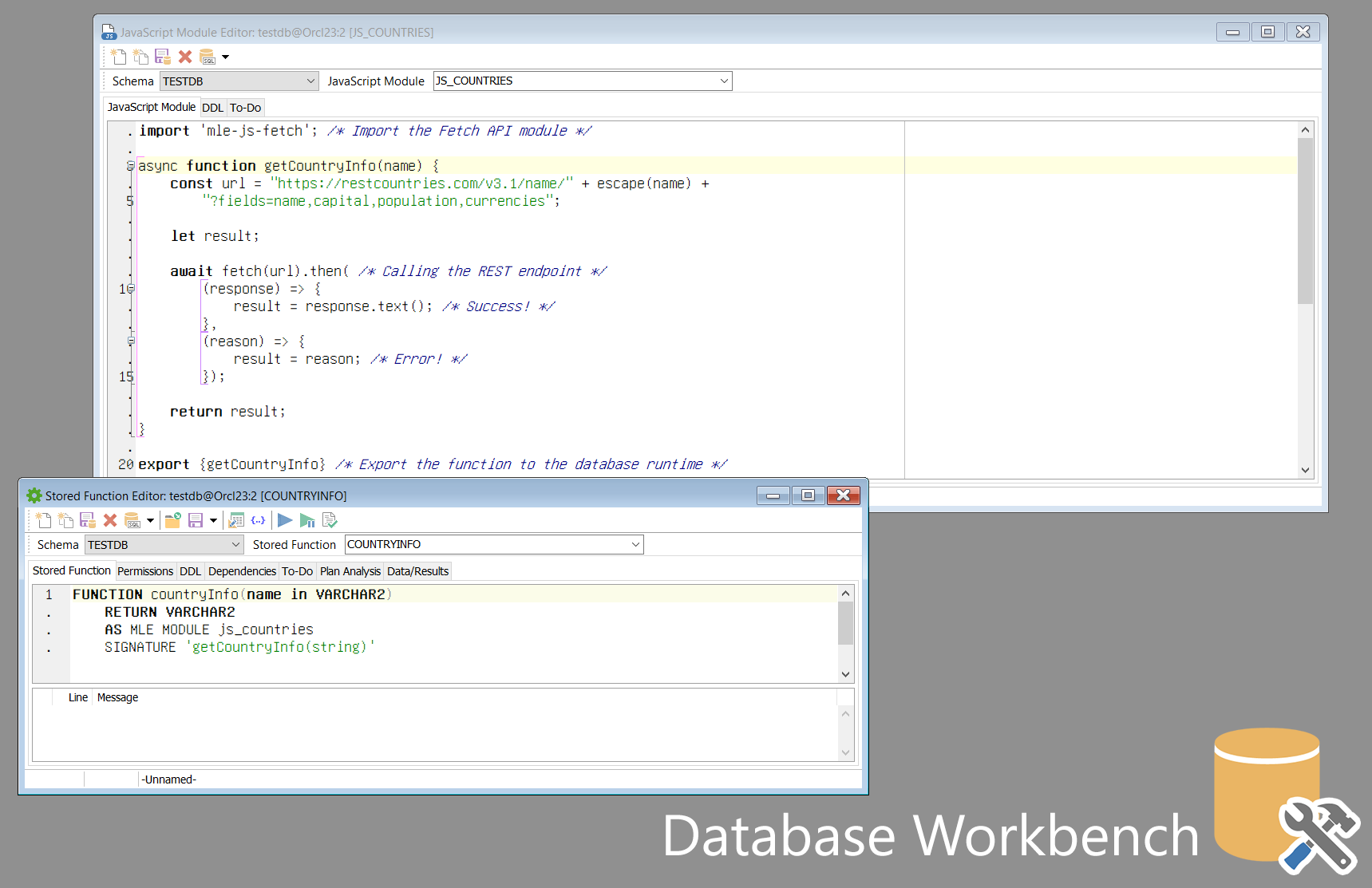
This release introduces support for Oracle 23 Domains, Vector and Boolean datatypes, JavaScript stored routines and more.

Other changes include support for PostgreSQL 17, MariaDB 11.7 and MySQL 9.2, bugfixes and small new features.

Database Workbench supports Firebird, MySQL, MariaDB, PostgreSQL, SQLite, Oracle, MS SQL Server, SQL Azure, NexusDB and InterBase.

It includes tools for database design, database maintenance, testing, data transfer, data import & export, database migration, database compare and numerous other tools.

Database Workbench 6 comes in 3 different editions with different pricing models, there’s always a version that suits you!

There’s also free Lite Editions available for Firebird and MySQL.

RED EXPERT 2025.07 HAS BEEN RELEASED

You can join to the Telegram chat for discussion.

New version of Red Expert 2025.07 is available.

What’s new?

Improved:

  1. Metadata Export / Compare tool

Fixed:

  1. High CPU and RAM load when CTRL is held down in the Query Editor
  2. Infinite reconnecting to DB using certificate
  3. Editing table columns with encoding and dimensions
  4. Editing database users
  5. Loading table triggers in Firebird 2.5
  6. Loading procedure parameters
  7. Loading table constraints
  8. Creating a database backup by overwriting an existing file
  9. Restoring Query Editor tabs after restarting the application
  10. Loading drivers for connections containing spaces in the path
  11. Application hangs when working with unsupported DBMS
  12. Displaying hints for password input field
  13. Displaying the database statistics

Download and install the new version.