Firebird Adds Optional Static fbclient Libraries, Including Symbol-Collision Prevention

Firebird’s client library, libfbclient / fbclient.dll, has always been distributed exclusively as a shared library. PR #9104 by Adriano dos Santos Fernandes, merged into the Firebird source tree on July 24, 2026, changes that: it introduces an optional, non-default static archive (libfbclient.a on POSIX, fbclient_static.lib on Windows) for applications that need to link the client library statically instead of loading it as a shared object/DLL.

Why static linking wasn’t offered before

The blocker wasn’t packaging — it was memory management. Firebird overrides the global C++ operators operator new, operator new[], operator delete, and operator delete[] (in src/common/classes/alloc.cpp) so that any bare, non-pool allocation inside Firebird is routed through its own internal memory pool.

In the shared library, this is harmless: a POSIX version script (and a Windows .def file) keeps those overridden symbols hidden, so an application linking against libfbclient.so or fbclient.dll keeps its own global allocator untouched.

A static archive has no such boundary. Its object files get merged directly into the host application at link time, so the linker would silently resolve the host’s own bare new/delete calls to Firebird’s internal definitions — hijacking the host application’s memory allocation without any warning. That’s a nasty, hard-to-diagnose class of bug, and it’s exactly why a static build was never shipped.

The fix: rename every internal symbol at the archive level

Rather than hand-maintain a list of symbols to hide, the PR takes a systematic approach: every internal global symbol not part of Firebird’s public API gets renamed with a __fbclient_ prefix as a post-processing step on the compiled archive. This covers the global operators, decNumber symbols, C++ mangled names, vtables, typeinfo, guard variables — everything — generated automatically from the existing export list rather than curated by hand.

On POSIX (Linux and macOS), this happens in two steps:

  1. Archive slimmingld -r with -u flags seeded from every symbol in builds/posix/firebird.vers pulls in only the archive members actually reachable from the public API, using cross-reference output (--cref on ELF, -map on Darwin) to identify and repack just those members.
  2. Symbol renamingobjcopy --redefine-syms (GNU objcopy on Linux, llvm-objcopy on macOS) renames every non-API global symbol to a __fbclient_-prefixed name, using a rename map generated automatically via nm --defined-only -g.

On Windows, a new fix_fbclient_static.bat parses builds/win32/defs/firebird.def for the public API, runs llvm-nm on every object file to collect defined symbols, and applies the same kind of rename map with llvm-objcopy --redefine-syms.

Regular pool-based allocation via FB_NEW / FB_NEW_POOL — the pattern used throughout the Firebird codebase — was never affected by any of this, since it never touched the global operators in the first place.

A side effect: no DllMain on Windows

A statically linked fbclient has no separate DLL module, so DllMain never runs for it. The one real functional gap this closes is per-thread cleanup, previously tied to DllMain‘s DLL_THREAD_DETACH notification. The PR adds a new ThreadCleanup class using Fiber-Local Storage (FlsAlloc/FlsSetValue/FlsFree) on Windows, mirroring what pthread_key_create‘s destructor already gives the POSIX build for free.

Building it

POSIX:

make -C temp/debug TARGET=Debug client_static

produces <firebird>/lib/libfbclient.a. Most third-party dependencies (tommath, tomcrypt) still need to be linked separately; decNumber/libdecFloat is merged directly into the archive.

Windows:

builds\win32\make_all.bat CLIENT_ONLY=STATIC

builds yvalve as fbclient_static.lib under new DebugStatic/ReleaseStatic configurations, then runs the symbol-fixup script automatically.

What’s in the diff

25 files changed, +2168/-268 lines, across three commits, including new CI workflows (.github/workflows/static-build.yml) to build and validate the static client on Linux, macOS, and Windows, and a new, thorough doc/README.StaticClient.md covering the rationale, build steps, and verification commands for both platforms.

For any project embedding Firebird’s client library directly into a host binary, this closes a real gap — and it does it without punting the symbol-collision risk onto the integrator.

Source: FirebirdSQL/firebird PR #9104. Also posted on Mariuz’s Blog.

FBSimCity v0.6.0: the replication district — journal segments, commit order, and a synchronous replica that dies

FBSimCity, the explorable isometric city of Firebird internals, is at v0.6.0. This release adds a replication district.

Replication without a log

Firebird has no write-ahead log to ship, so its replication is logical — and it has to be. As each transaction commits, the changes themselves are written into a replication journal segment. When a segment fills it is sealed and queued for the replicator, and a new one opens behind it. Crucially, the segments preserve commit order, so the replica replays history exactly as the primary lived it.

That gets three buildings:

  • Journal Yard — where commits are journalled. If the segments cannot be shipped, they stack up here visibly.
  • Replicator — asynchronous ships at its own pace and the replica trails, so commits never wait. Synchronous makes the commit itself wait for the replica, so the primary runs at the speed of the slowest replica.
  • Replica Database — a second database, drawn as its own shallower excavation, replaying the journal in commit order with its applied history filling in as it catches up.

Set the replica slow and watch the lag build, or set it unreachable and watch the segments pile up: run the replica-lag scenario. Bring it back and it resumes from the oldest unshipped segment, in order.

A synchronous replica that dies hangs commits

This is the behaviour I was most careful to get right. A synchronous replica that becomes unreachable does not quietly fall back to asynchronous. Silently downgrading would mean claiming a durability guarantee the configuration no longer has, so the commits hang instead — which is the honest behaviour, and the reason synchronous replication is a decision rather than a default. You can watch it happen.

A fourth operator decision

The replica is gone and its journal segments are accumulating on the same volume the database writes to. Nobody can say when it comes back.

  • Stop replication and discard the backlog — the disk stops filling immediately, but the replica is no longer a replica. Bringing it back is a fresh backup and restore, not a resume, and until then you have no second copy.
  • Keep journalling and wait — nothing is lost if it returns soon. If it does not, you are betting free space at a steady rate, and if the volume fills the primary stops too: a much larger outage than the one you were protecting against.

Both answers cost something, and the verdict quotes numbers measured from the run rather than written in advance.

Also in this release

  • The test suite grew to 131 assertions, including commit-order preservation across segments and in-order catch-up after an outage. It caught the two new scenarios being undocumented before this shipped, and a version mismatch between data.js and the on-screen badge.
  • The top bar had been silently wrapping to two rows on narrower screens — a regression that crept in one button per release. It is a single row again.

City: mariuz.github.io/FBSimCity
Release notes: v0.6.0
Source: github.com/mariuz/FBSimCity (MIT, plain HTML and JavaScript, no build step)

It remains a model for intuition, not an emulator. What is real, what is merely scaled and what is a plausible stand-in is all written down in the knob audit. Corrections are very welcome, particularly on the replication mechanics, which I modeled from the documentation rather than from the engine source.

FBSimCity is an independent educational project, not affiliated with or endorsed by the Firebird Project. Firebird® is a registered trademark of the Firebird Foundation Incorporated.

FBSimCity v0.4.0: the backup yard — gbak pins the OIT, nbackup fills the delta

FBSimCity, the explorable isometric city of Firebird internals, is at v0.4.0. This release adds a whole backup yard, built around what gbak and nbackup actually do.

gbak: the backup that pins your OIT

gbak takes a logical backup online: it attaches like any other client and reads every table through a snapshot transaction. That snapshot is the interesting part, because it pins the OIT for the entire run. Garbage collection stalls, cooperative GC refuses to demolish anything, and the record version towers climb until the backup finishes.

This is why a nightly gbak against a busy database and a mysteriously bloating database are so often the same story. Now you can watch it happen instead of inferring it from gstat -h: run the nightly gbak scenario.

nbackup and the difference file

nbackup is the other half: a physical backup, incremental by level. Level 0 copies the whole file, level 1 only the pages changed since level 0, and so on. The chain is enforced in the model just as it is in reality: ask for a level 1 without a level 0 and it refuses, and Restore chain reports which levels a restore would have to apply, in order. Lose level 0 and the rest are waste paper.

Locking the database with nbackup -L freezes the main file so it can be copied safely while the server keeps running. Every page written from that moment lands in the difference file instead, a new orange pit beside the main excavation that fills up visibly and merges back on unlock. Forget to unlock and it grows for as long as you watch: see a locked database filling its delta.

Dirty pages stopped being free

This release also fixes a genuine falsehood in the simulation. Evicting a dirty buffer used to cost nothing, which quietly understated write pressure. It now writes the page out first, so a reader that needs a frame pays for somebody else’s write.

The interesting part is what that does not cause. Because commits flush their page under forced writes, which is Firebird’s default, dirty evictions stay rare on a healthy database at around 1% of evictions, and only start biting when the cache is too small for the working set, reaching roughly 5% at 16 buffers. The honest lesson is “your cache is undersized”, not “writes are bad”, and the new evictions (dirty N) readout shows exactly that.

A knob audit

Since the whole point is intuition rather than emulation, v0.4.0 documents itself. docs/KNOBS.md lists every control and readout, what it does to the model, and whether the mechanism is real, merely scaled, or a plausible modeled stand-in, followed by the deliberate simplifications. Sweep here is time-triggered rather than transaction-gap-triggered; lock contention is a probability rather than a wait-for graph; no SQL is parsed at all. It is all in the table, so nobody has to discover it by reading the source.

Also in this release

  • Subsystem controls now live on the subsystem: start a sweep from the GC depot, run backup levels or lock the database from the nbackup vault, forget to commit a transaction from the Transaction Hall.
  • The screenshot driver no longer leaks browser profiles, and form controls are 16px so iOS Safari stops zooming the page.

City: mariuz.github.io/FBSimCity
Release notes: v0.4.0
Source: github.com/mariuz/FBSimCity (MIT, plain HTML and JavaScript, no build step)

Corrections are very welcome, especially on the backup mechanics, which I modeled from the documentation rather than from the engine source.

FBSimCity is an independent educational project, not affiliated with or endorsed by the Firebird Project. Firebird® is a registered trademark of the Firebird Foundation Incorporated.

Database Workbench 7 now available

Upscene Productions is proud to announce the next major version of the popular Firebird development tool:

Database Workbench 7.0

This new release prepares Database Workbench for the future. With a revamped user interface with many improvements and AI powered SQL and database development, we’re supplying database developers with the tools they need.
— Martijn Tonies, owner of Upscene

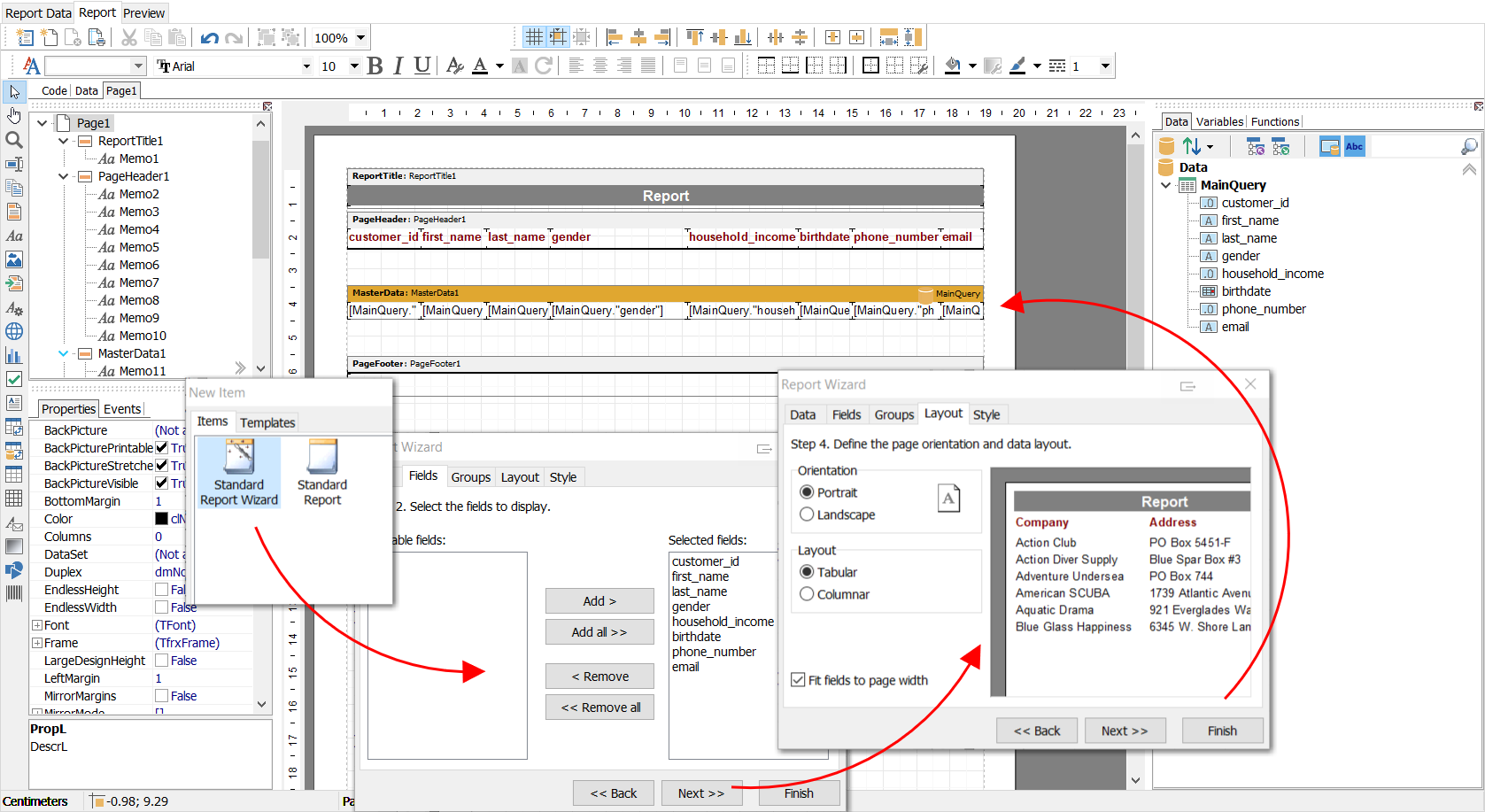
The new Welcome Window gives you access to your most recently used files and database connections, as well as shortcuts to major features in the application. Also new in this release: a dark mode, with specially tailored icons and a color scheme that’s easy on the eyes.

Read more

Database Workbench 6.10.6 released

Upscene Productions is proud to announce the availability of the next release of the popular multi-DBMS development tool:

“Database Workbench 6.10.6”

This release introduces the Data Type Assistant for quicker table creation, and gives you a new and much faster Report Designer.

📹 Watch a video of the Data Type Assistant here.

Database Workbench supports the following database systems:
Firebird
MySQL, MariaDB
✅ PostgreSQL
SQLite
✅ Oracle
✅ SQL Server
✅ NexusDB
InterBase

It includes tools for database design, database maintenance, testing, data transfer, data import & export, database migration, database compare and numerous other tools.

Read more

Database Workbench 6.10.0 released

Upscene Productions is proud to announce the availability of the next release of the popular multi-DBMS development tool:

“Database Workbench 6.10.0”

This release introduces the Data Type Assistant for quicker table creation, and gives you a new and much faster Report Designer.

Database Workbench supports the following database systems:
Firebird
MySQL, MariaDB
✅ PostgreSQL
SQLite
✅ Oracle
✅ SQL Server
✅ NexusDB
InterBase

It includes tools for database design, database maintenance, testing, data transfer, data import & export, database migration, database compare and numerous other tools.

Read more

Database Workbench 6.9.0 released

Upscene Productions is proud to announce the availability of the next release of the popular multi-DBMS development tool:

“Database Workbench 6.9.0”

This release introduces support for InterBase 15, SQLite 3.50 and 3.51 and PostgreSQL 18.

Additional changes include enhancements and new features in the Report Editor, Text Compare tool and other improvements.

Database Workbench supports the following database systems:
Firebird
MySQL, MariaDB
✅ PostgreSQL
SQLite
✅ Oracle
✅ SQL Server
✅ NexusDB
InterBase

It includes tools for database design, database maintenance, testing, data transfer, data import & export, database migration, database compare and numerous other tools.

Read more

Database Workbench 6.8.4 released

Upscene Productions is proud to announce the availability of the next release of the popular multi-DBMS development tool:

“Database Workbench 6.8.4”

This release introduces support for Oracle 23 Domains, Vector and Boolean datatypes, JavaScript stored routines and more.

Other changes include support for PostgreSQL 17, MariaDB 11.7 and MySQL 9.2, bugfixes and small new features.

Database Workbench supports the following database systems:
Firebird,
MySQL, MariaDB
✅ PostgreSQL
SQLite
✅ Oracle
✅ SQL Server
✅ NexusDB
InterBase

It includes tools for database design, database maintenance, testing, data transfer, data import & export, database migration, database compare and numerous other tools.

Read more

FBLoader — A High-Speed CSV Import for Firebird

IBPhoenix is pleased to announce the release of FBLoader, a new command-line utility designed for blazing-fast import of CSV data into Firebird databases.

FBLoader makes it easy to move large volumes of data efficiently, whether you’re loading files from a local or remote system, handling multiple sources and tables in a single session, or taking advantage of automatic parallel loading for optimal performance. With flexible parameter options and full control over character sets and file access, FBLoader offers both speed and precision for demanding data migration tasks.

FBLoader is available now for 64-bit Windows and 64-bit Linux systems.

To learn more or download the tool, visit https://www.ibphoenix.com

EmberWings Magazine 2025/3 is Here!

The September issue of EmberWings – has landed, and it’s ablaze with a thrilling Halloween theme! Dive into the eerie and exciting world of Firebird with our latest edition, packed with insights, surprises, and a touch of spooky charm.

Prepare to be captivated by a chilling exploration of “spooks” that might haunt Firebird users in The Little Shop of Horrors (Firebird Edition), alongside a deep dive into the power of Embedded Firebird. You’ll also find an exclusive conversation with a Firebird contributor shaping the database’s future, a review of a must-have Firebird-related tool, and a curated peek at the most intriguing questions and answers from Firebird’s public lists and forums. Stay updated with the latest advancements in Firebird development over the past quarter and catch the hottest news from the Firebird community. Plus, our ongoing story about the Secrets of Firebird takes a delightfully spooky twist, just in time for Halloween!

As always, delivered in a beautifully crafted, print-friendly PDF.

The latest issue is available only to all Firebird Associates and Firebird Partners. It will be available to the general public in December 2025.

Also, the June 2025 issue is now available to all readers.

1 2 3 20